 HubSpot Integration Checkout and payment data connected to HubSpot workflows.
Use Spiffy to take the payment, create the order context, and keep HubSpot updated with the checkout, subscription, payment, and billing activity your team needs for follow-up.
Try Spiffy risk‑free for 30 days.
Capabilities
What Spiffy can send to HubSpot.
Build checkout follow-up around the purchase, subscription, payment plan, and customer events happening in Spiffy.
Direct integration
Connect Spiffy directly to HubSpot without routing every checkout action through Zapier.
Auto-send contact info
Send customer details into HubSpot when a buyer completes a checkout.
Start or stop workflows
Trigger HubSpot workflows from checkout, product option, upsell, payment, and billing events.
Add or remove lists
Update HubSpot list membership based on what someone bought in Spiffy.
Create tasks or tickets
Create HubSpot tasks or tickets for sales, onboarding, support, or customer success follow-up.
Order and payment context
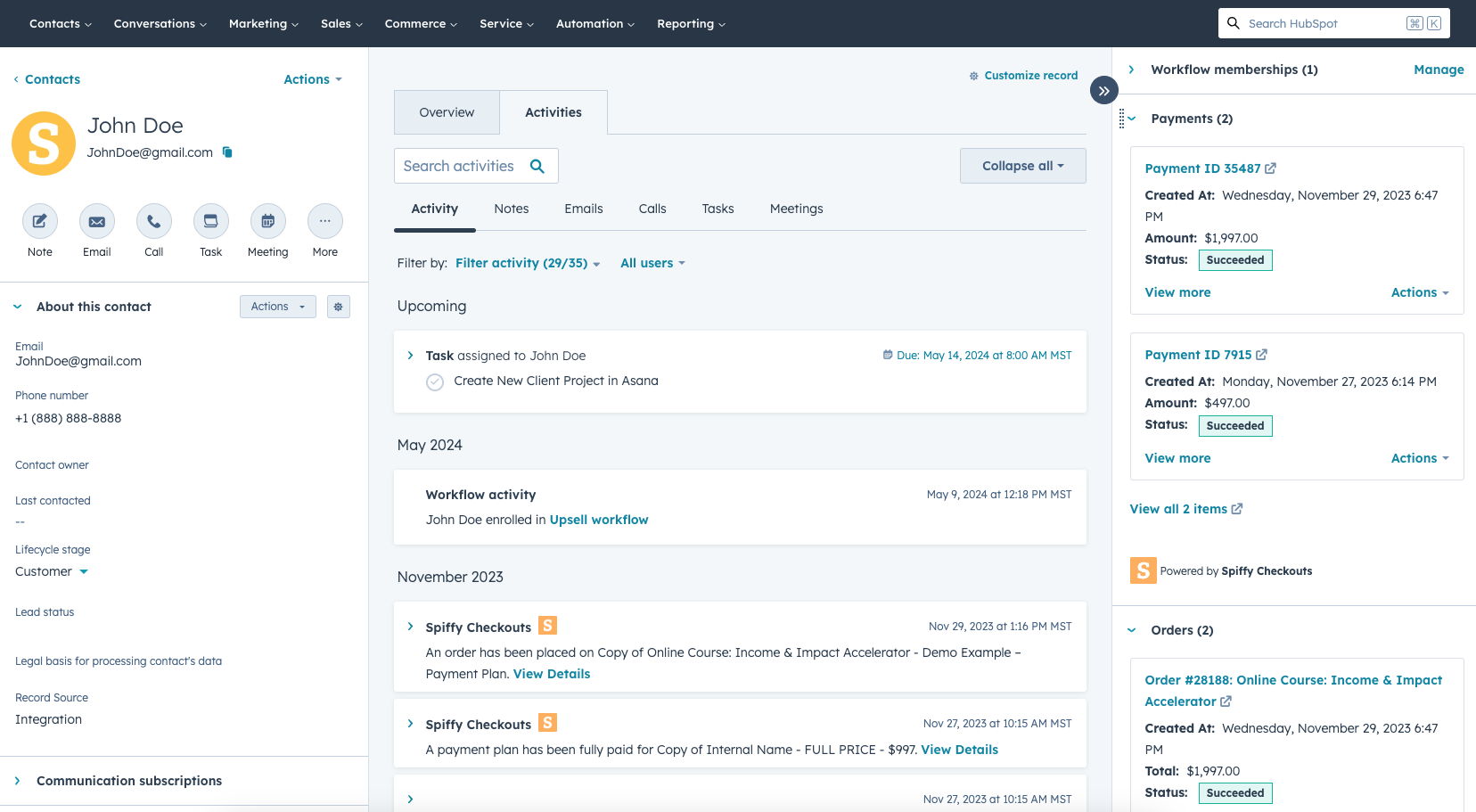
Keep orders, payments, subscriptions, timeline events, and optional deal details visible in HubSpot.
HubSpot payment data
What HubSpot gets after the sale.
Spiffy is the checkout and billing layer between your offer, your connected payment gateway, and HubSpot. It turns the order into contact activity, workflow triggers, timeline events, and deal context so HubSpot can stay closer to what the customer actually bought.
Checkout and order context
HubSpot can receive the buyer, order, product, upsell, subscription, and payment-plan context tied to a Spiffy checkout.
Timeline and workflow context
Spiffy events can inform HubSpot follow-up for payments, failed payments, updated cards, subscriptions, and billing changes.
Deals and reporting context
Contact records can show Spiffy timeline events, payment and subscription cards, and optional Order Deals with order details your team can report on.
Setup flow
Connect once, then use actions where they fit.
Start with the direct integration, then add platform actions to the specific checkout, product option, upsell, subscription, or billing event that should run them.
Open setup guide- 1 Connect HubSpot Authorize HubSpot in Spiffy so checkout purchases can update the right CRM account.
- 2 Select the trigger Choose the checkout, option, upsell, subscription, payment plan, or billing event that should update HubSpot.
- 3 Add HubSpot actions Start workflows, update lists, create tasks or tickets, update email subscriptions, or sync customer details.
- 4 Confirm the record Review the HubSpot contact and Spiffy automation log to see the event and action history.
Product workflows
Use HubSpot across the checkout lifecycle.
Spiffy integrations sit next to checkout, automation, subscription, and payment plan behavior, so platform data stays connected to the sale.
Subscriptions
Use subscription events to keep onboarding, renewal, and cancellation follow-up aligned.
View SubscriptionsPayment plans
Connect installment status to HubSpot follow-up and sales operations.
View Payment plansAnalytics
Compare HubSpot follow-up with checkout-side revenue, products, payments, and customer value in Spiffy.
View AnalyticsRelated integrations
Other tools teams connect with Spiffy.




HubSpot questions?
Need help mapping the integration? Get in touch.
Can Spiffy create or update HubSpot contacts?
How does the HubSpot checkout integration work in Spiffy?
Can HubSpot workflows start from checkout events?
Can Spiffy pass Stripe payment activity to HubSpot?
Does Spiffy replace HubSpot Payments?
Can Spiffy create HubSpot tasks or tickets?
Can I update email subscription status?
Ask about Spiffy on
Connect HubSpot to the buying moment.
Use Spiffy checkout purchases, subscription billing, and payment events to keep HubSpot contacts, workflows, lists, tasks, tickets, and deal data updated.